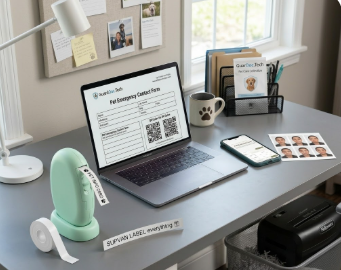
In a world where our most important information is often invisible, true “digital organization” requires a bridge between your screen and your hands. Whether you are protecting family records or scaling your business, if you can’t see it, touch it, or shred it, you don’t truly control it.
Here is the definitive, “no-brainer” guide to the essential physical and digital tools for a secure, organized life.
1. The All-in-One Printer: Your Digital-to-Physical Bridge
View your printer as a document workstation. A high-quality all-in-one printer is essential for turning digital files into durable, physical backups.
- Pro Scanner Hack (iPhone): Open the Notes App, tap the camera icon, and select “Scan Documents.” It’s a built-in, free PDF creator.
- Pro Scanner Hack (Android): Open Google Drive, tap the “+” button, and select “Scan.” It automatically crops and saves perfect PDFs to your drive.
The Power of the PDF: Always save your documents as a Portable Document Format (PDF). Unlike Word docs, PDFs are universal and “locked,” meaning your formatting—and your pet’s emergency info—stays exactly where you put it.
2. DIY Passport Photos: The Cost-Saving Secret
Stop overpaying for “mugshot-style” photos at the drugstore or at a kiosk in a foreign country. You can create professional, government-compliant ID photos at home for pennies.
- Essential Apps: Use Passport Photo Maker (VISA/ID) or PhotoAiD. These apps guide your alignment and ensure the background meets official standards.
A Cheeky Tip: We’d never officially suggest using a “glam app” to fix a stray hair or a tired under-eye circle… but if you do, keep it natural. If a border agent can’t recognize you, you aren’t getting on that flight!
The Finish: Print these on 4×6 glossy photo paper for a professional finish that looks better than the post office version. We always, always recommend printing extra copies of the sheets. Bring them with you when you’re traveling, just in case and keep printed copies in the files with your IDs.
3. Physical Security: The Binder & Sleeve Method
Even the best digital life needs a physical “Master File.” For one-of-a-kind documents like birth certificates, social security cards, or property titles, never use a hole-punch.
- Protective Sleeves: Use non-glare plastic sheet protectors inside a sturdy 3-ring binder. This shields your originals from spills, dust, and aging.
The Grab-and-Go Factor: In an extreme emergency, you don’t want to be looking for a thumb/hard drive. One binder in your hand means you have your entire life ready to go.
4. Privacy-First Cloud Storage: Why Choose Proton Drive?
Not all cloud storage is created equal. Most “free” services scan your data for advertising. For sensitive information—like your “Path to $3M” strategy or family IDs—you need a vault. The Proton Advantage: Based in Switzerland, Proton Drive uses End-to-End Encryption. This means even the service provider cannot see your files. It’s the gold standard for anyone serious about digital privacy and security.
5. Labeling and Shredding: The Finishing Touches
Organization is useless if you can’t find what you need or if your “trash” contains your identity.
- Supvan Handheld Labeler: Use a Bluetooth thermal labeler like this, and we love this one, to mark everything from kids’ tech and charging bricks to those mystery cables behind the TV. If it isn’t labeled, it’s clutter.
- Organization is useless if you can’t find what you need or if your “trash” contains your identity.
- The Modest Shredder: This is your physical “Delete” key. Once a document is scanned to your PC and backed up to Proton, shred it if it contains personal data or barcodes.
Quick-Reference Checklist
| Essential Tool | Why You Need It | iPhone (iOS) Option | Android Option |
| Document Scanner | High-quality, searchable PDFs | Notes App (Built-in) or Adobe Scan | Google Drive App (Scan feature) or Microsoft Lens |
| Passport Photo App | Professional DIY ID photos | PhotoAiD or Passport Size Photo Editor | Passport Photo Maker (VISA/ID) or PhotoAiD |
| “Cheeky” Glam App | Subtle, natural touch-ups | Facetune (Keep it light!) | AirBrush (Stay natural!) |
| Secure Cloud | Privacy-first vault | Proton Drive App | Proton Drive App |
| Labeling | Tech & home organization | Supvan (Bluetooth) | Supvan (Bluetooth) |
| Physical Security | Protecting “Originals” | Plastic Sheet Protectors | Plastic Sheet Protectors |
| Final Deletion | Identity protection | Cross-Cut Shredder | Cross-Cut Shredder |
The GuardDoc Tech Bottom Line: Mastering your digital life is about combining the best of technology with the reliability of physical backups. Secure your data, label your world, and shred the rest!

Leave a Reply